Docs
Payment
Payment
Learn how to configure Stripe or PayPal for payment processing in BuouNext. This guide provides detailed instructions on setting up payment gateways, managing transactions, and integrating with your application to ensure secure and efficient payment handling.
BuouNext integrates stripe for periodic subscriptions, you can also use paypal for subscriptions or one-time order settlement
Configure stripe
Register with Stripe
Sign Up and Create a Stripe Account
Register Webhook with Stripe
This will help you accept stripe Webhook event.type(invoice.payment_succeeded, checkout.session.completed) and so on You should Webhook URL console https://your-website/api/webhooks/stripe at Register webhook endpoints with Stripe
Create Product
If you plan to sell more products, run this command for each product. See the full params from Create a product
Configure BuouNext
STRIPE_API_KEY=your-stripe-api
STRIPE_WEBHOOK_SECRET=your-stripe-webhook-secret
STRIPE_PRO_MONTHLY_PLAN_ID=your-stripe-subscriptions-plan-id
Configure paypal
BuouNext also supports PayPal, because some regions do not support the use of stripe,Here let's go to begin configure Paypal
Register with paypal
Sign Up and Create a paypal Account
Create an app
You should create An App for your payment at PayPal Developer Dashboard
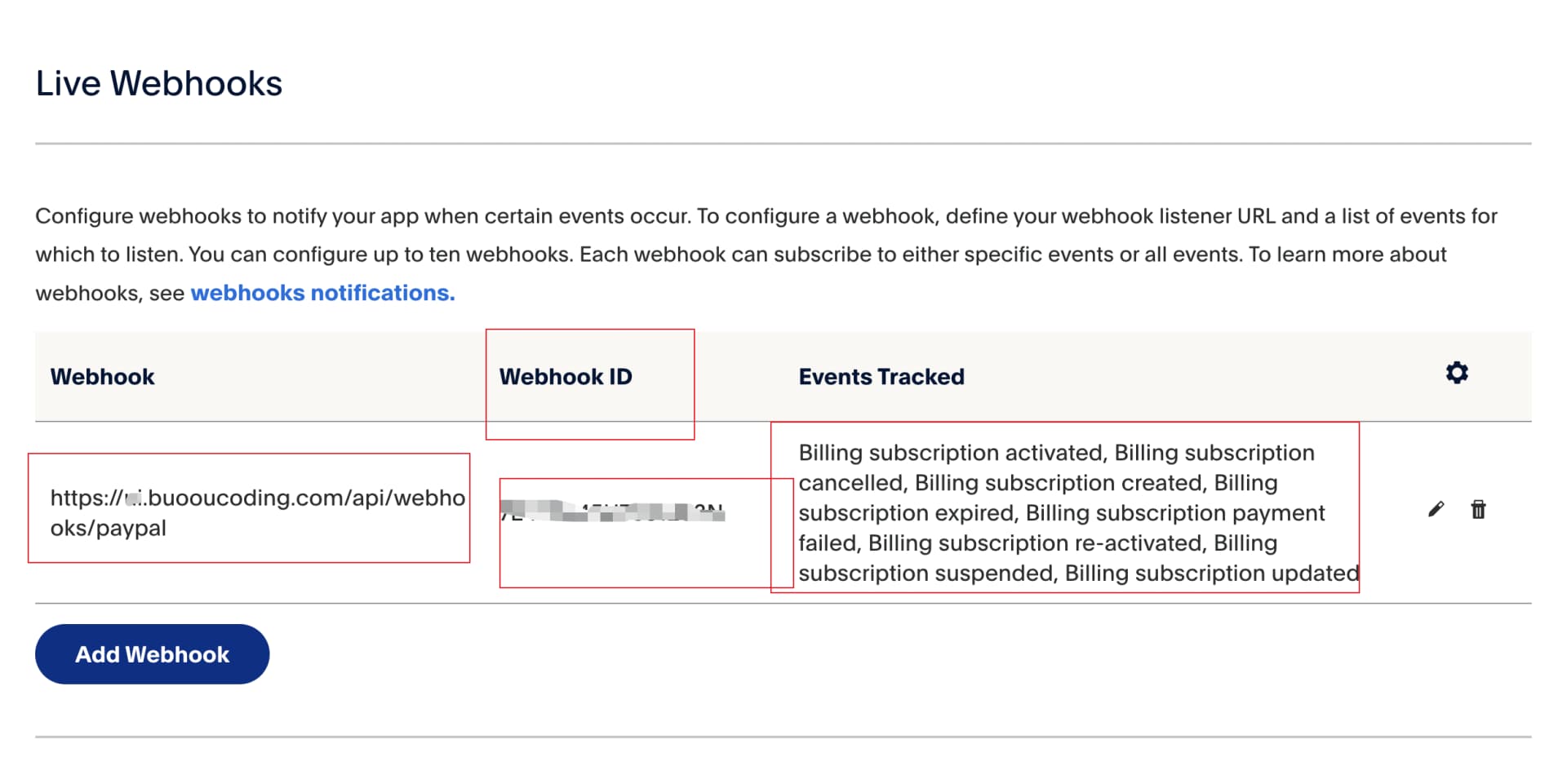
Register Webhook with Paypal
You should click the App you create and click Add Webhook like this
Create Subscription plans
Configure BuouNext
PAYPAL_BASE_URL=your-live-url-or-sandbox-url
PAYPAL_CLIENT_ID=your-client-id
PAYPAL_CLIENT_SECRET=your-clinet-secret
PAYPAL_WEBHOOK_ID=webhook-id
PAYPAL_PRO_MONTHLY_PLAN_ID=your-subscriptions-plan-id